

Happy Birthday Jaquan!
Happy Birthday Jaquan!

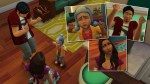

The boys had two very different reactions to the news.




We all know what this means *eyebrow wiggle*



#dadthings
I have been tagged by @nalasims and @pixelbobdiamondpants, thank you!
Basically the “rules” are to answer these 20 (who would’ve guessed) questions and tag 20 people afterwards(though there are only actually 19 here):
Name: Hope
Zodiac sign: Sagittarius
Height: I’m 5′
Languages spoken: Barely English.
Nationality: American.
favorite fruit: Strawberries and raspberries.
Favorite scent: Anything sweet so cotton candy, brown sugar, vanilla, etc…
Favorite color: Purple
Favorite animal: Dogs but cats are a close second
average hours of sleep: Somewhere around 6-8
dogs or cats: Dogs
Coffee, tea, or hot chocolate: Of that list I can only drink tea due to allergies. I would pick hot chocolate though if I could.
Favorite fictional character: I identify with villains and anti-heroes the most, but saying anyone specific is too hard.
Dream trip: Staying home and not going anywhere.
When was your blog created: November 12th, 2017
Last movie you’ve seen: Uhhh its that one with Tom Cruise where he’s fighting aliens and has to keep dying to reset the day. I don’t remember the name, we only got about half way through tbh.
Song you’ve had on repeat: This one atm.
Favourite candy: Depends on my mood.
Favourite holiday: I don’t actually like any holidays(or celebrate them really).
I’m not a tagger so if you want to do this go for it.
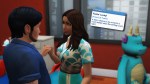


Feeling lucky 😉
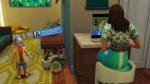

Penny’s biggest fan prefers to watch her streams in person.
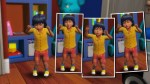
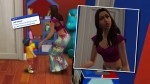
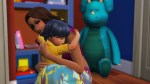


Raylan got upset that Mitchell went to work.
Hi Nonny! Not a dumb question at all! I take a screen shot using the print screen button on my keyboard(”prt scr” is what mine says) when notifications pop up or I open the trait menu. I’m not sure if you need to do some kind of setting so that your pictures save in a folder but mine do. You might have to hit the print screen, open your editing program and then paste it in depending on your computer and version. This website might be helpful: https://www.take-a-screenshot.org/
 Homijoh plays premade sims